
For Shopify merchants who haven’t touched their image file names or alt text — here’s what those two signals do for SEO, and the fastest way to fix hundreds of images at once.
Bottom line: Search engines and AI agents can’t see images. They read two things: the file name and the alt text. Both must contain your keywords. Most Shopify stores have never set either one correctly. That’s a fixable opportunity.
The fast fix: automate it with Plug In SEO and Plug In AI
Plug In SEO (from $29.99/month, depending on your store catalog) audits your store and shows you exactly which pages have images with missing or keyword-free alt text — so you know where to focus.
Once you know what needs fixing, Plug In AI lets you fix it in bulk. The $34.99/month plan is the only one that includes bulk image alt text editing across all your products, collections, and blog posts — with keywords, automatically.
- File names like
IMG_4521.jpg— tells Google nothing - Alt text blank or “product photo” — zero keyword signal
- Images invisible in Google image search and AI citations
- Keyword-rich file names — Google knows what to rank
- Descriptive alt text with 2–3 keywords per image
- 8.2x more impressions in Google image search
Plug In AI generates keyword-optimized alt text in bulk. Fix all your products, collections, and blog images at once — with the right keywords automatically included.
Try Plug In AI free →First: what are image file names and alt text?
Every image on your website has two text signals.
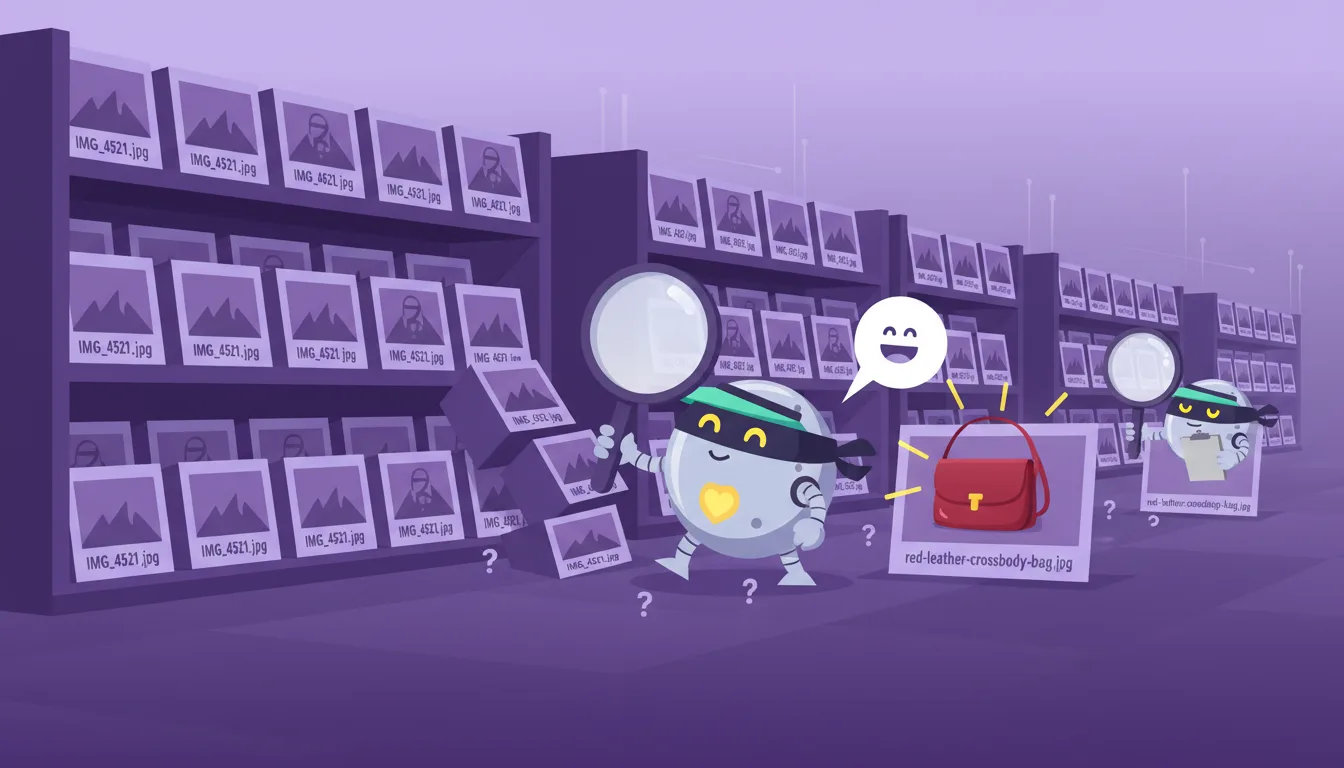
The file name is the name the image had when you uploaded it. IMG_4521.jpg is what your phone saves automatically. red-leather-crossbody-bag-womens-accessories.jpg is what a search engine can understand — and rank.
The alt text is a short description you add after uploading. It lives in the code — invisible on the page, but readable by Google, AI agents, and screen readers. Think of it this way: the file name is the image’s ID. The alt text is its caption.
These are two different things. Both must contain your keywords.
In Shopify, you can see and edit both: go to Content > Files, click any image. The file name is at the top. The alt text field is below it.
Search engines are blind
Google, ChatGPT, Perplexity, and every AI agent that crawls your site cannot see images. They read code. When they encounter an image, they look at the file name and the alt text. That’s it.
IMG_4521.jpg tells them nothing. red-leather-crossbody-bag-womens-accessories.jpg tells them exactly what to show and when.
This applies to Google image search and to AI engines answering product questions — same signals, same rules. Images with optimized alt text are cited by AI engines 3–6x more often than images with no description. Google image search gets 3.5 billion searches per day.
Your H1 is the most valuable real estate on your page
Think of your webpage like a newspaper. The H1 is the main headline — the most important text on the page. There should be only one per page. H2s are section titles. H3s are sub-sections.
Search engines weight your H1 heavily. It signals: “this is what this page is about.”
The worst case: your H1 is a logo image with a bad file name
I audited a store last month where the homepage H1 was a logo image. File name: header-final-v3.png. Alt text: blank. The store had been live for two years.
That homepage was telling Google and every AI engine: “I have nothing to say.”
The most powerful SEO signal on the page — wasted on an unreadable image. Only 26% of websites use alt text correctly. Fix yours and you’re already ahead of nearly 3 in 4 websites.
The fix: rename, describe, repeat
Step 1 — File names (before you upload)
Rename images before uploading. Use 2–3 keywords. Use hyphens, not spaces.
-
logo.png→plug-in-seo-shopify-seo-app-logo.png -
IMG_4521.jpg→red-leather-crossbody-bag-womens-accessories.jpg -
banner.jpg→shopify-seo-audit-app-homepage.jpg
The keywords in your file name should match what a customer would type into Google to find that product or page.
Step 2 — Alt text (in Shopify: Content > Files)
Click any image. Write one clear sentence with 2–3 keywords. Under 90 characters. Describe what the image shows — don’t just list keywords.
- Bad:
image/product photo/ (empty) - Bad:
red bag leather crossbody women buy now sale(keyword stuffing) - Good:
Red leather crossbody bag for women — handmade, available in our Shopify store
Images with optimized alt text get 8.2x more impressions in Google image search.
Fix hundreds of images at once with Plug In AI
A store with 200 products has 200+ images to rename and describe. That’s a full day of work — and most stores have far more than 200.
Plug In AI does it in minutes — generating keyword-optimized alt text in bulk for all your products, collections, and blog images automatically.
Frequently asked questions about Shopify image file names and alt text
Does the image file name affect SEO?
Yes. Google uses the file name as a signal to understand what an image shows. Include 2–3 relevant keywords, separated by hyphens. blue-running-shoes-mens-shopify.jpg helps Google rank your image for relevant searches. IMG_001.jpg gives it nothing.
What’s the difference between a file name and alt text?
The file name is set when you upload — you can’t change it without re-uploading the image. The alt text is added in Shopify after upload and can be edited any time via Content > Files. Both need to include your keywords.
How many keywords should I put in alt text?
Two to three. Write a natural sentence first, then make sure your main keywords are in it. Don’t stuff — Google ignores over-optimized alt text and it looks bad to screen readers too.
Do AI engines like ChatGPT use alt text?
Yes. AI engines read the same signals as search engines — file names, alt text, and surrounding text. Product pages with keyword-rich image descriptions are cited in AI-generated answers 3–6x more often than pages with missing or generic metadata.
How do I fix alt text in bulk on Shopify?
Use Plug In AI. It edits alt text across all products, collections, and blog posts at once — with keywords included. The $34.99/month plan is the one you need.
Fix your image alt text in bulk — with keywords automatically
A store with 200 products has hundreds of images to describe. Plug In AI generates keyword-optimized alt text across your entire catalog in minutes. Use Plug In SEO first to find which images are missing alt text, then Plug In AI to fix them all at once.
Fix my image alt text with Plug In AI →