
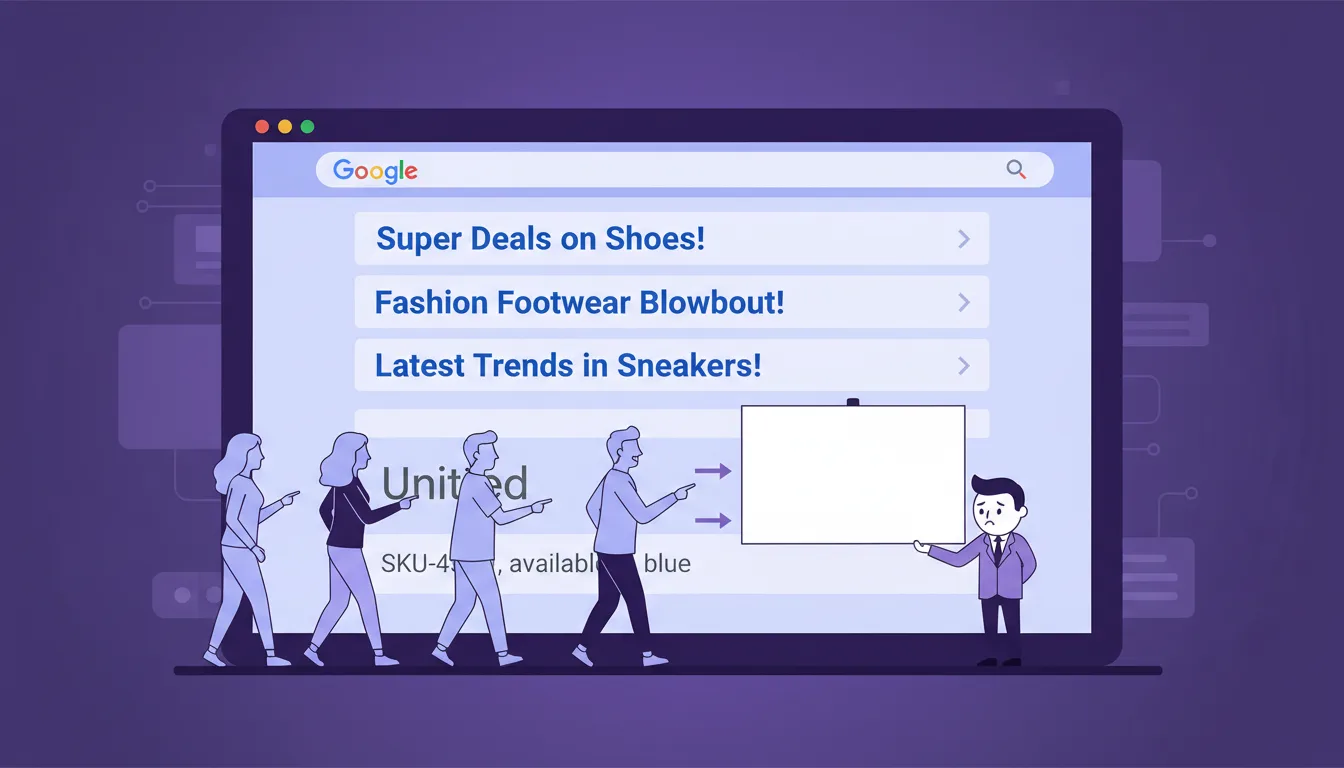
For Shopify merchants whose search results are written by Google instead of them. Here’s how to take control — and start winning clicks you’re currently losing.
Every time someone searches a term related to your store, they see two things before they decide to click: a blue headline and a short paragraph below it. Those two elements are what convince a potential customer your store is worth visiting — or send them to a competitor instead.
They’re called your meta title and your meta description.
Your meta title is the blue clickable headline in Google search results. It tells Google what the page is about and is the first thing searchers read — up to 60–70 characters before it gets cut off.
Your meta description is the short paragraph below it — up to 165 characters. It doesn’t affect your ranking. Its only job is to earn the click.
For most Shopify stores, both are blank. Google fills them in automatically, pulling whatever text it finds first on the page — a product SKU, a size note, a random line from your description. Not your brand voice. Not your value prop. Not a reason to click.
- Google writes your search results for you
- Random product text, no value prop
- No keywords, no CTA, no reason to click
- Every page has a keyword-rich title
- Persuasive descriptions that earn the click
- Consistent formula across your entire catalog
Why Shopify leaves you invisible in search results
Shopify leaves the meta title and description fields blank by default for individual products and collections. There’s no warning, no audit alert, no prompt. You can build and launch a store with zero meta information and Shopify publishes it like nothing’s wrong.
So the blanks stay blank. And here’s what gets lost:
Keywords. Your meta title is one of the strongest on-page signals Google uses to understand what your page is about. A blank field — or a default title that’s just the product name — misses the chance to tell Google what keyword this page should rank for.
Persuasive copy. A meta description that reads like a product label gives the searcher no reason to choose you over the next result.
A CTA. A meta description is the smallest ad you’ll ever write. Most of them have no call to action at all — which means no instruction, no urgency, no next step.
That’s not an argument to skip writing them. It’s an argument to write them well enough that Google has less reason to change them.
Skip the manual work. Plug In AI writes keyword-rich meta titles and descriptions for your entire Shopify catalog in one click.
Try Plug In AI free →How to write meta titles and descriptions that actually get clicks
1. Start with your homepage
Your homepage is the most important page to get right. It carries your strongest authority signal, it’s usually your highest-traffic page, and it sets the keyword context for your whole store.
Title formula: [Primary Keyword] – [Brand Value Prop] | [Store Name]
Example: Shopify Running Gear – Lightweight, Fast, Free Shipping | RunLab
Description formula: What you sell + who it’s for + CTA. Up to 165 characters.
Example: Premium running gear for serious runners. Lightweight trainers, race kits, and accessories. Free shipping over $50. Shop now.
2. Structure product and collection titles consistently
For every product and collection page, follow a consistent title structure so Google can understand your store’s hierarchy — and so each page targets a specific keyword.
Product title structure: [Keyword] – [Product Name] | [Store Name]
Collection title structure: [Category Keyword] – Shop [Category] | [Store Name]
This matters at scale. A 300-product store without a consistent structure has 300 meta titles that may or may not be targeting the right keywords. A store with a clear structure has 300 pages working together, each telling Google exactly what it’s about.
3. Write descriptions that sell, not describe
The most common meta description mistake isn’t technical — it’s the writing. Store owners write descriptions like product labels: “Blue running shoes. Sizes 8–12. Available in three colours.” That’s accurate. It’s also completely passive.
Every strong Shopify meta description needs three things:
- The target keyword — so Google knows the page is relevant to the search
- A clear value prop — why should they choose you over the nine other results?
- A CTA — “Shop now.” “Free shipping on all orders.” “See the full range.”
4. For stores with more than 20 products — find one formula, then scale it
A 200-product store has at least 200 product pages that need unique, keyword-rich meta titles and descriptions — plus collection pages, plus the homepage. Writing each one manually is days of work.
The shortcut: start with one product, find the keyword and tone combination that sounds like your brand, then use that same brief to optimise the rest of your catalog — whether manually or with an AI tool like Plug In AI that bulk-generates titles and descriptions across your entire catalog in one pass.
Why it matters for your store: Get the formula right once and every future product you add takes seconds, not minutes, to optimise.
Frequently asked questions
What is a meta title in Shopify?
A meta title is the headline that appears as the blue clickable link in Google search results. In Shopify, every product, collection, and page has a meta title field under “Search engine listing” in the editor. It tells Google what the page is about and influences whether your store appears for relevant searches.
What is a meta description in Shopify?
A meta description is the short paragraph that appears beneath the title in search results. It doesn’t directly affect your ranking, but it determines whether searchers click on your result. Shopify gives every page a description field — left empty, Google will write one for you using whatever text it finds on the page.
How long should Shopify meta titles and descriptions be?
Meta titles should be 60–70 characters. Meta descriptions should be up to 165 characters. Longer titles get cut off in search results, which makes your listing harder to read and less likely to earn a click.
Does Google rewrite Shopify meta descriptions?
Yes — Ahrefs research found that Google rewrites around 63% of submitted meta descriptions. Google tends to rewrite when the copy doesn’t closely match what’s on the page. Writing descriptions that directly reflect your page content reduces the chance of rewriting.
How do I edit meta titles and descriptions in Shopify?
Open any product, collection, or page in Shopify admin. Scroll down to “Search engine listing” and click “Edit.” For your homepage, go to Online Store → Preferences and update the fields under “Title and meta description.”
Can I use the same meta description on multiple pages?
No. Duplicate meta descriptions tell Google that multiple pages cover the same topic, which suppresses all of them in rankings. Every page needs a unique description. If you’re dealing with a large catalog, use a consistent formula with variable fields (product name, category) rather than copy-pasting the same text.
Plug In AI writes your meta titles and descriptions in one click
A 200-product store has 200+ pages that need unique, keyword-rich meta titles and descriptions — and most merchants don’t have days to spare writing them manually. Plug In AI generates optimised titles and descriptions for your entire catalog in one pass. You set the keywords and the tone.
Try Plug In AI free →